How to set up low-stock alerts in Sklad
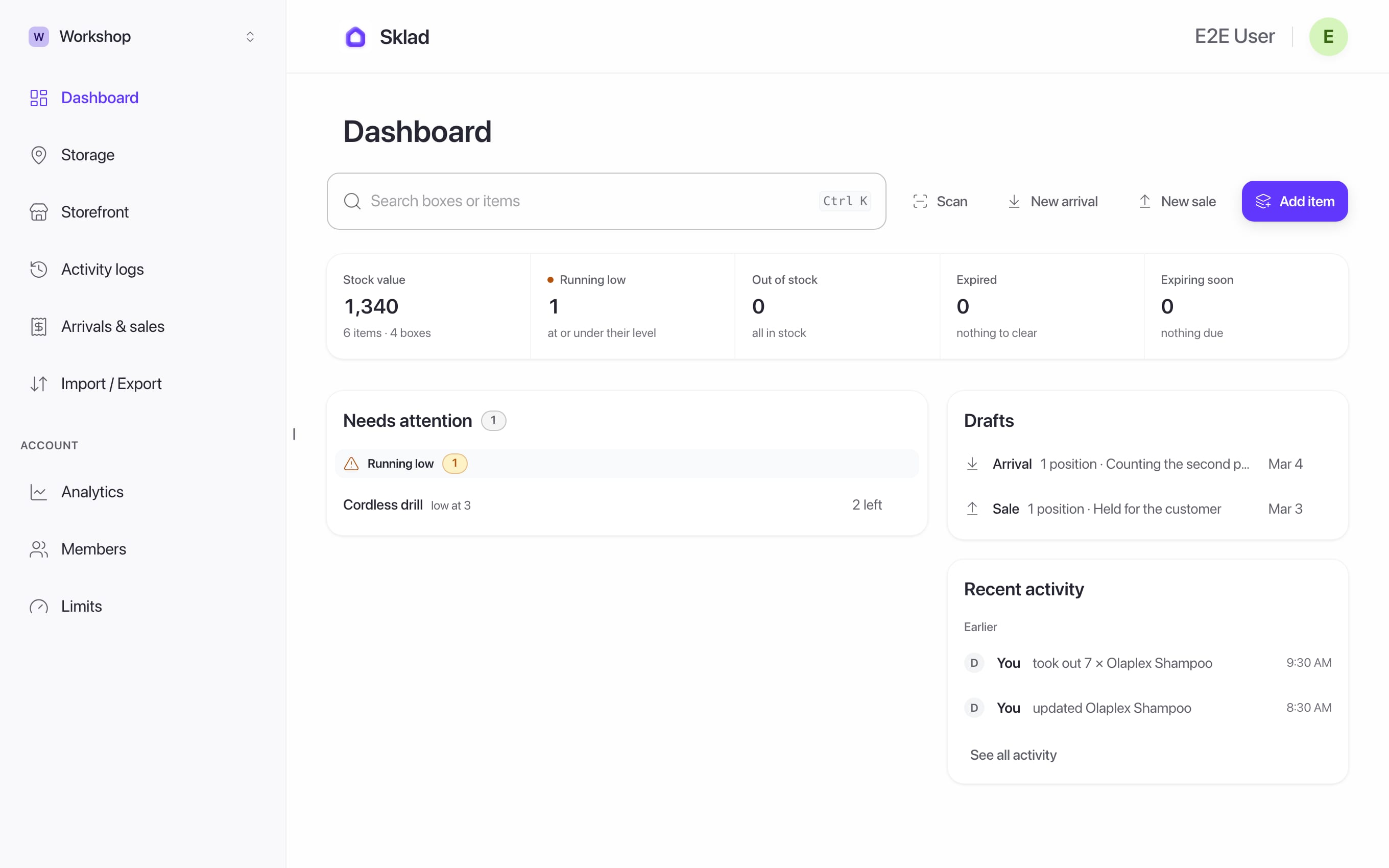
Give an item a level, and Sklad tells you when its count falls to it. On the web, those items show at the top of your dashboard.
Do this
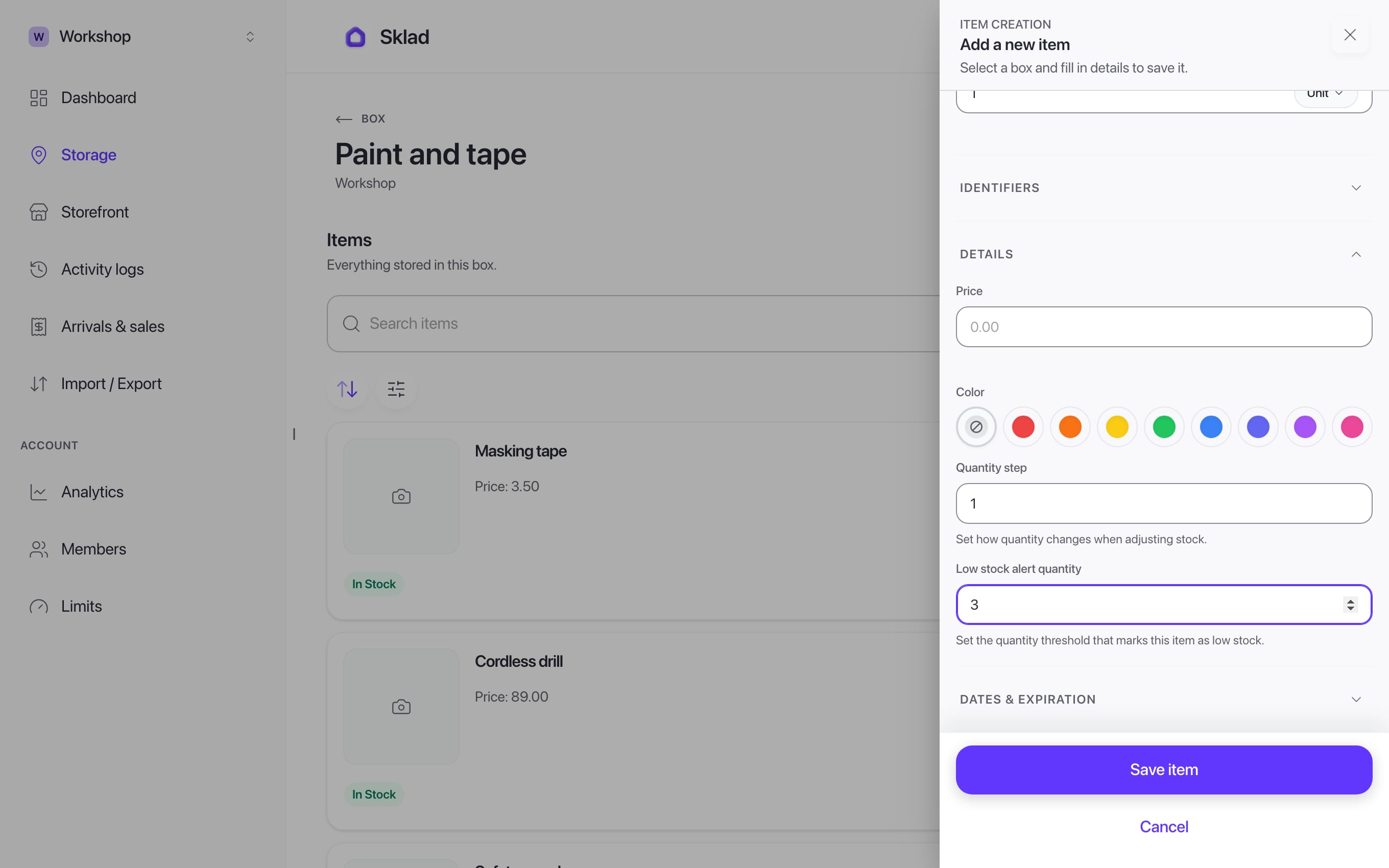
- Open an item's form and set Low stock alert quantity, for example 3. Save.
- On the dashboard, Needs attention lists what is out of stock, running low, expired or expiring soon.
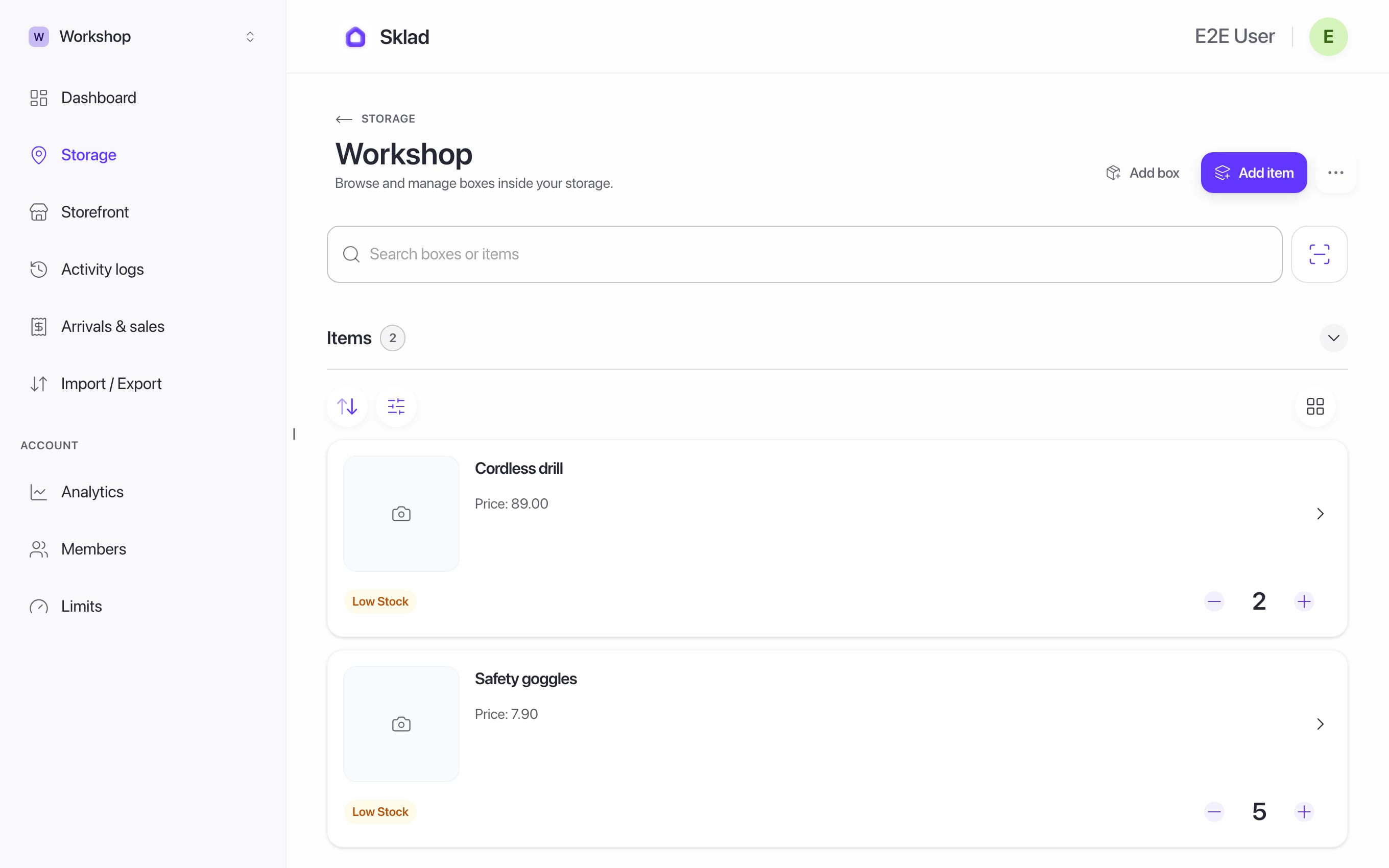
- Click a group to see every item in it.
If it goes wrong
An item is low but not listed: check it has a Low stock alert quantity. Without one, it is never "low".
- Alerts on your phoneWhen will I receive daily low-stock alerts?
- Anything elseContact us
Next
- Low Stock Alerts — Thresholds, Reorder Queue & Alert Policy
- How to add items with photos and notes in SkladAn item is one thing you keep track of: its name, how many you have, and where it is.
- How to check the activity history in SkladThe activity log shows who changed what, and when, in a storage.
- How to choose and change your Sklad planSklad has three plans: Free, Starter and Business.