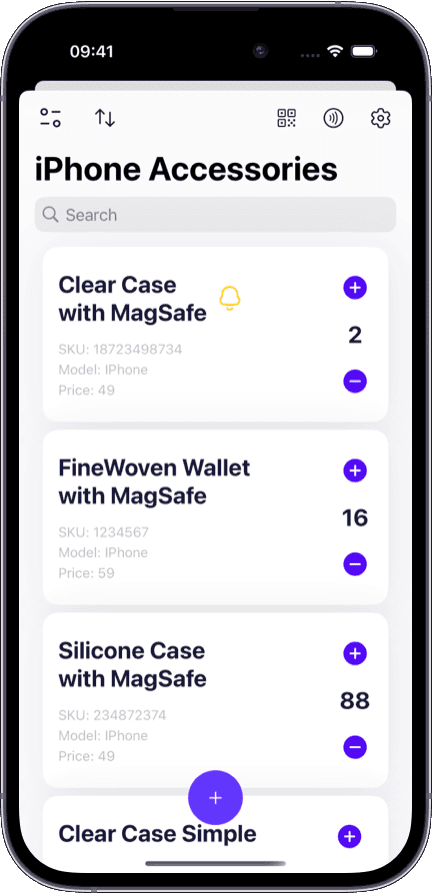
After buying a home
New homeowners catalog contents room by room while unpacking. Start once, maintain forever.
Once your belongings are cataloged, the list works for you in every scenario:
A photo and description of every item — proof that you owned it and what condition it was in.
Organization by room, closet, garage, or storage unit — find anything by browsing the location.
Serial numbers, purchase dates, and values recorded in one place for claims and warranties.
Instant search — type a name and see the item, its location, and its photo immediately.
Shared access so everyone in the household can look up items or add new ones.
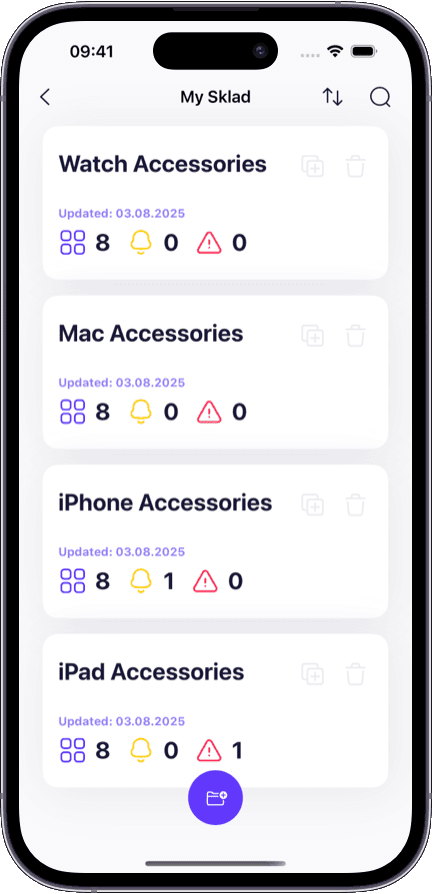
Most people never catalog their belongings — until one of these happens:
A pipe bursts and the insurance company asks for an itemized list of damaged items with values.
You are packing for a move and realize you have no idea what is in the garage or storage unit.
A family member needs to settle an estate and nobody knows what is there or what it is worth.
You buy something you already own because you forgot it was in a closet or box.
A theft happens and you cannot remember what was taken, let alone provide serial numbers.
There is usually a trigger. These are the most common ones.
New homeowners catalog contents room by room while unpacking. Start once, maintain forever.
Know what you are packing, what you are donating, and what is going to storage — before the movers arrive.
An itemized list with photos and values is what adjusters ask for. Having it ready saves weeks of back-and-forth.
A clear catalog makes decisions easier when dividing, donating, or selling belongings.
Most people think they will remember. Here is how that goes.
Try to list items from memory under stress, miss half of them
Open the app, filter by room, export the list with photos and values
Open every box and closet until you find it
Search by name and see the exact room and shelf
Discover forgotten items on moving day
Review contents per room and plan ahead
Buy something you already have in a box somewhere
Search before buying — see what you already own
Text back and forth: 'Do we have a...?'
Everyone can search the shared catalog from their phone
Building a home inventory takes one weekend. The list saves you time and money for years.
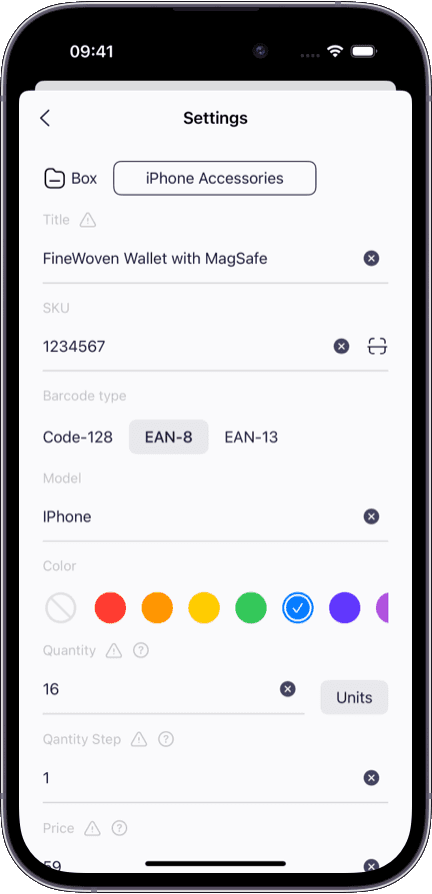
Add an item in seconds — snap a photo, type a name, assign a room, done.
Start free — up to 24 items, no card required; paid plans raise the limit to a full household catalog.
Share with your partner or household members so everyone can search and add.
Works on iPhone, iPad, and Mac — add items on your phone, review on your laptop.
If you are also managing inventory for a business or side project, see our inventory management software for the full platform.
Want to organize items with photos front and center? Our photo inventory features are designed for visual cataloging.
Looking for a free starting point? The Sklad free tier lets you catalog up to 24 items without a card.
A home inventory app is a tool for cataloging your personal belongings — furniture, electronics, clothing, tools, kitchenware — organized by room or location. It stores photos, descriptions, serial numbers, and values so you can find, prove, or account for anything you own.
Insurance claims, moves, estate planning, and theft recovery all require knowing what you own. Without a list, you rely on memory and lose time, money, and coverage. A home inventory turns a stressful situation into a searchable lookup.
Most people complete a thorough inventory in one weekend by going room by room. After that, maintenance takes seconds — add a new item when you buy it, remove it when you sell or donate it.
You can start free, with no credit card. The free plan covers up to 24 items — enough for a single shelf or a small box — while a full household catalog fits a paid plan. See the pricing page for what each plan includes.
Yes. Invite household members so everyone can search, add, and update items. This eliminates the 'do we have one of those?' conversations.
Yes. Having an itemized list with photos, values, and serial numbers is exactly what insurance adjusters request. You can export your inventory as a report to attach to a claim.
Yes. Create a location for each room, closet, garage, or storage unit. Then assign items to their location. You can browse by room to see everything in one place, or search across all rooms at once.
Sklad is the same app, but home inventory uses a simpler workflow. You catalog items with photos and rooms instead of tracking stock levels and reorder points. The interface adapts to what you need.