Retail and e-commerce
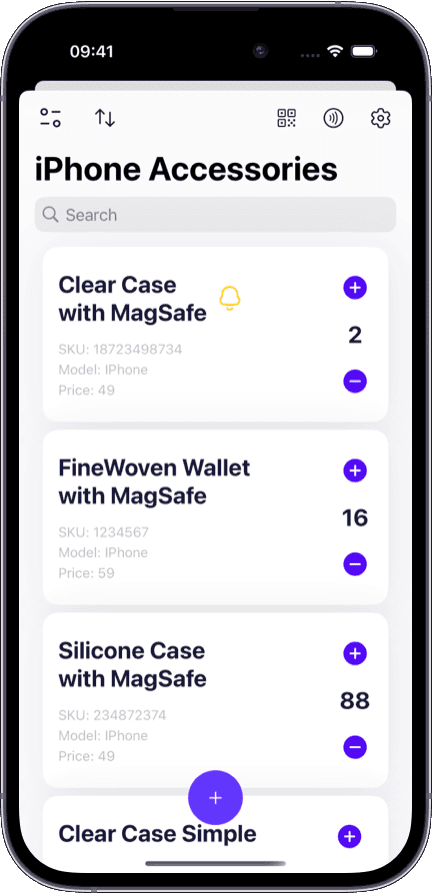
Prevent stockouts on best-sellers and reduce markdowns on slow movers with min/max thresholds per SKU.
With the right system, every reorder decision is backed by real data:
Min/max thresholds per item — you know exactly when stock is too low or too high.
Consumption velocity tracking to see how fast items move over time.
Clear reorder signals when stock crosses your defined minimum level.
Stock balance across locations so you can redistribute before reordering.
Movement history that helps you align reorder cadence with supplier lead times.
Without min/max levels and reorder discipline, teams fall into predictable traps:
Stockouts that trigger lost sales, backorders, and expedited shipping costs.
Overstock that ties up cash, takes up warehouse space, and leads to markdowns or waste.
Reorder timing based on gut feel instead of actual consumption data.
No visibility into which items move fast and which sit idle across locations.
Supplier orders placed too late or too early because lead times are not factored in.
Any team that reorders inventory benefits from structured stock control.
Prevent stockouts on best-sellers and reduce markdowns on slow movers with min/max thresholds per SKU.
Balance inbound shipments against outbound velocity to keep storage costs predictable.
Track perishable ingredient consumption so you reorder just in time — not too early, not too late.
Keep spare parts and consumables above minimum levels so equipment downtime stays short.
Most teams reorder when they notice something is out. Stock software flips that to a proactive model.
Someone notices the shelf is empty
Automatic signal when stock hits the minimum threshold
Order 'enough' based on memory
Reorder to max level based on consumption data
Rush order after the stockout already happened
Planned reorder aligned with supplier lead time
Over-order to 'be safe', tying up cash
Max thresholds prevent excess and free working capital
No one knows stock status until they check
Real-time stock levels visible across all locations
Sklad turns replenishment from a fire drill into a repeatable, data-driven process.
Every feature is built to help you reorder at the right time, in the right quantity.
Set warning and danger thresholds per item. When stock crosses a threshold, you see it immediately in the item list and notifications.
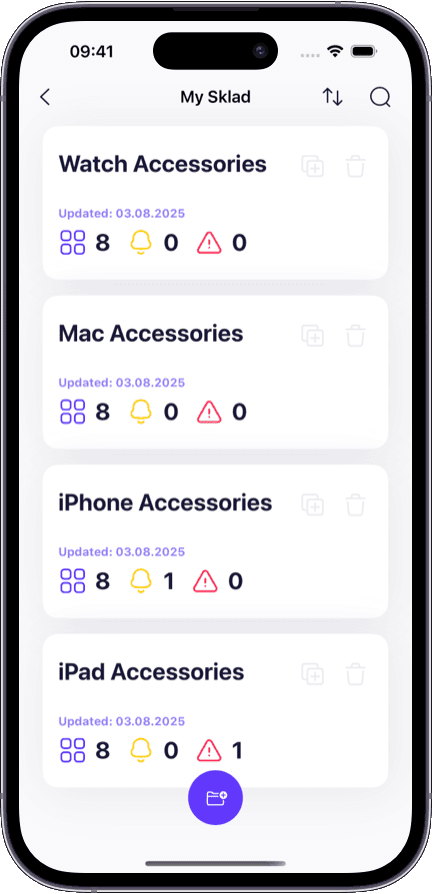
Get notified when items drop below minimum. Prioritize replenishment before the stockout happens.
See stock levels across all warehouses and storage locations. Redistribute surplus before placing a new order.
Track every quantity change with timestamps and user attribution. Use the history to calculate consumption velocity and tune reorder timing.
Scan items to update counts during receiving and cycle counts. Accurate counts feed better reorder decisions.
Export stock reports filtered by location, threshold status, or item category. Hand off clean data to your purchasing team or supplier.
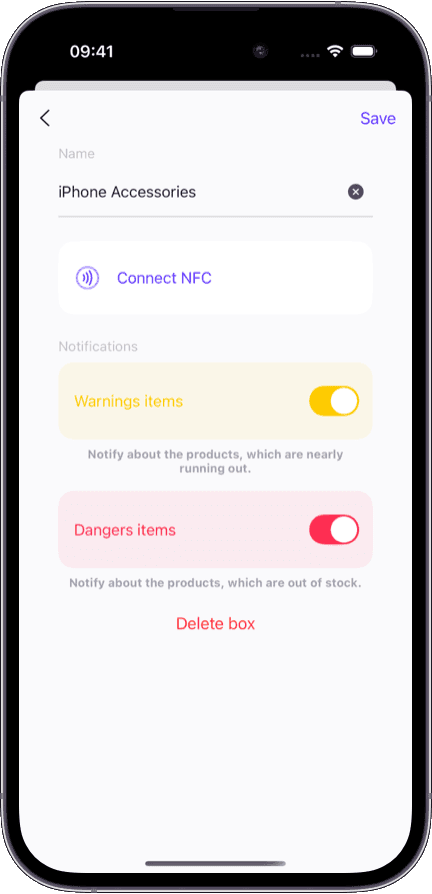
Set up min/max thresholds in minutes — no complex ERP configuration needed.
Works on iPhone, iPad, and Mac so warehouse and office stay in sync.
Free tier covers the basics — upgrade when your replenishment needs grow.
Every stock change is logged, so you can always trace a reorder decision back to real data.
Need to organize your full product catalog, locations, and permissions? Start with our inventory management software for the complete picture.
Want proactive alerts when individual items drop below threshold? See our dedicated low stock alerts feature page.
Tracking stock across multiple sites? Our multi-warehouse inventory software covers cross-location visibility and transfers.
Looking for a lightweight starting point? Sklad has a generous free tier — learn more on our free inventory app page.
Stock management software helps teams control replenishment by setting minimum and maximum stock levels, tracking consumption, and providing reorder signals. It goes beyond basic inventory tracking by focusing on when and how much to reorder.
Inventory management software covers cataloging items, organizing locations, scanning barcodes, and managing permissions. Stock management software focuses specifically on replenishment — min/max levels, reorder timing, stockout prevention, and overstock control. Sklad includes both in one platform.
Min/max levels are thresholds you set per item. The minimum is the point at which you should reorder. The maximum is the upper limit to prevent overstock. Together, they define the safe operating range for each item in your inventory.
Sklad shows you when items cross below their minimum threshold. You can also review stock movement history to understand consumption velocity and align your reorder timing with supplier lead times, so orders arrive before you run out.
Yes. Sklad lets you see stock levels per location, so you can identify surplus in one warehouse and redistribute before placing a new order. This prevents overstock in one location while another runs out.
By setting maximum thresholds and tracking consumption velocity, you can see when stock is accumulating faster than it is being used. This visibility helps you reduce order quantities, pause reorders, or redistribute surplus across locations.
Sklad does not connect directly to supplier systems, but you can export stock reports filtered by threshold status, location, or category. These exports give your purchasing team or supplier the data they need to fulfill orders accurately.
Sklad is available on iPhone, iPad, and Mac with real-time sync. Warehouse staff can scan and count stock on mobile while managers review replenishment data on desktop — all data stays in sync.