How to import items from a CSV file into Sklad
Import adds many boxes and items at once from a spreadsheet. Sklad checks the file before it changes anything, and tells you if it would go over your plan.
Do this
- In the sidebar, open Import / Export and click Download template in CSV.
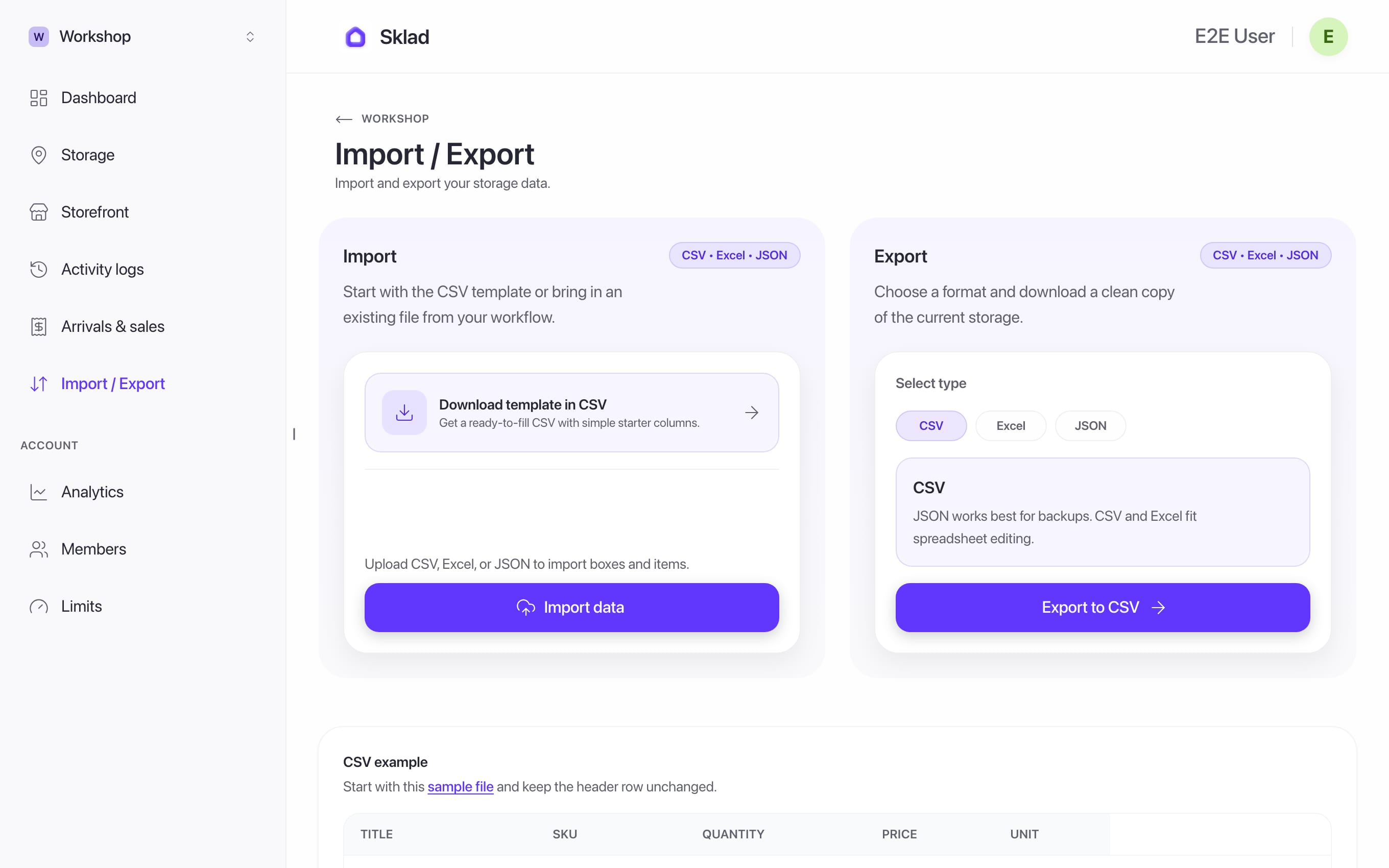
- Fill one row per item. Title, SKU, Quantity, Price and Unit are needed. A box name, dates and alert levels are optional.
- Click Import data and pick your file. CSV, Excel and JSON all work.
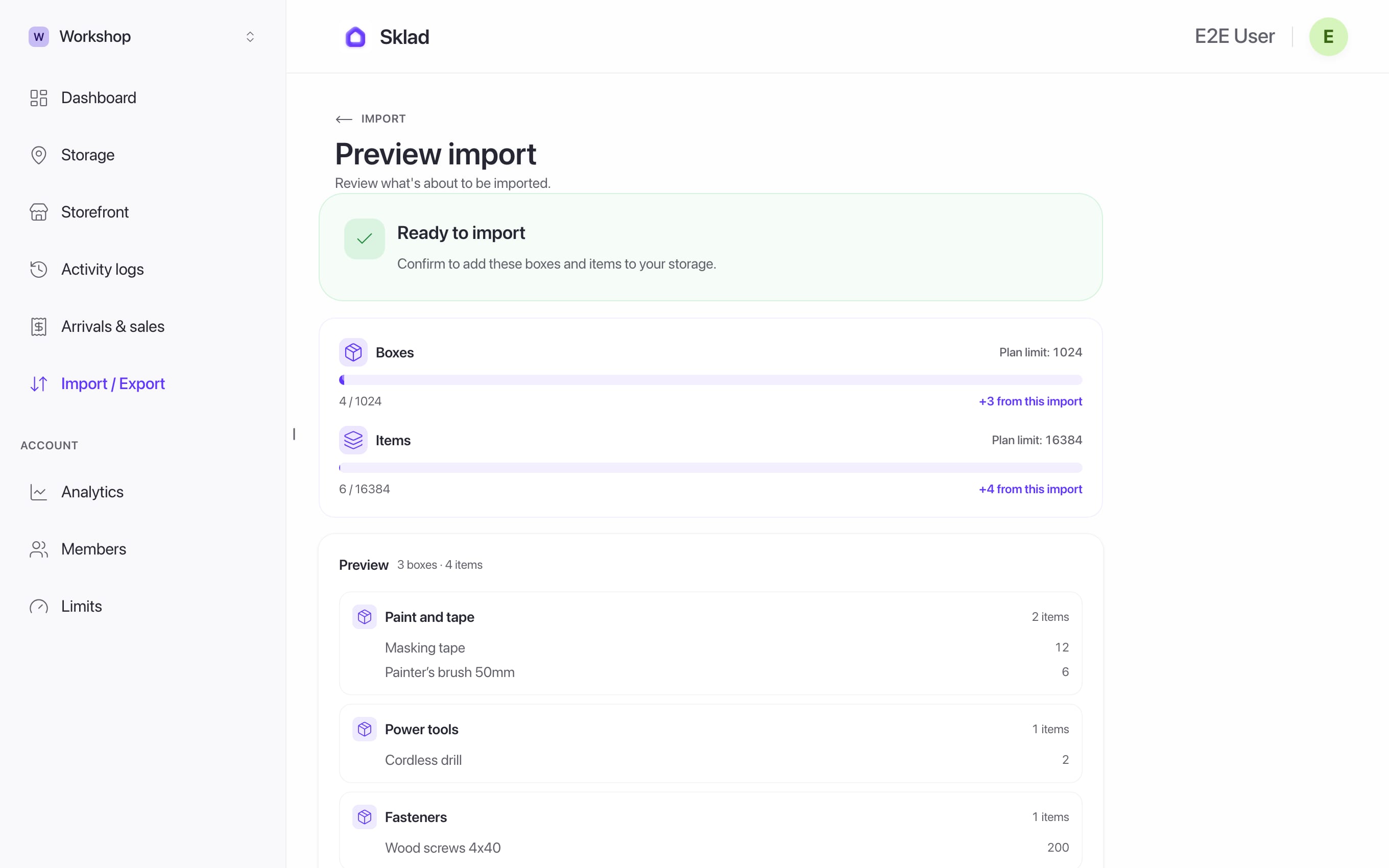
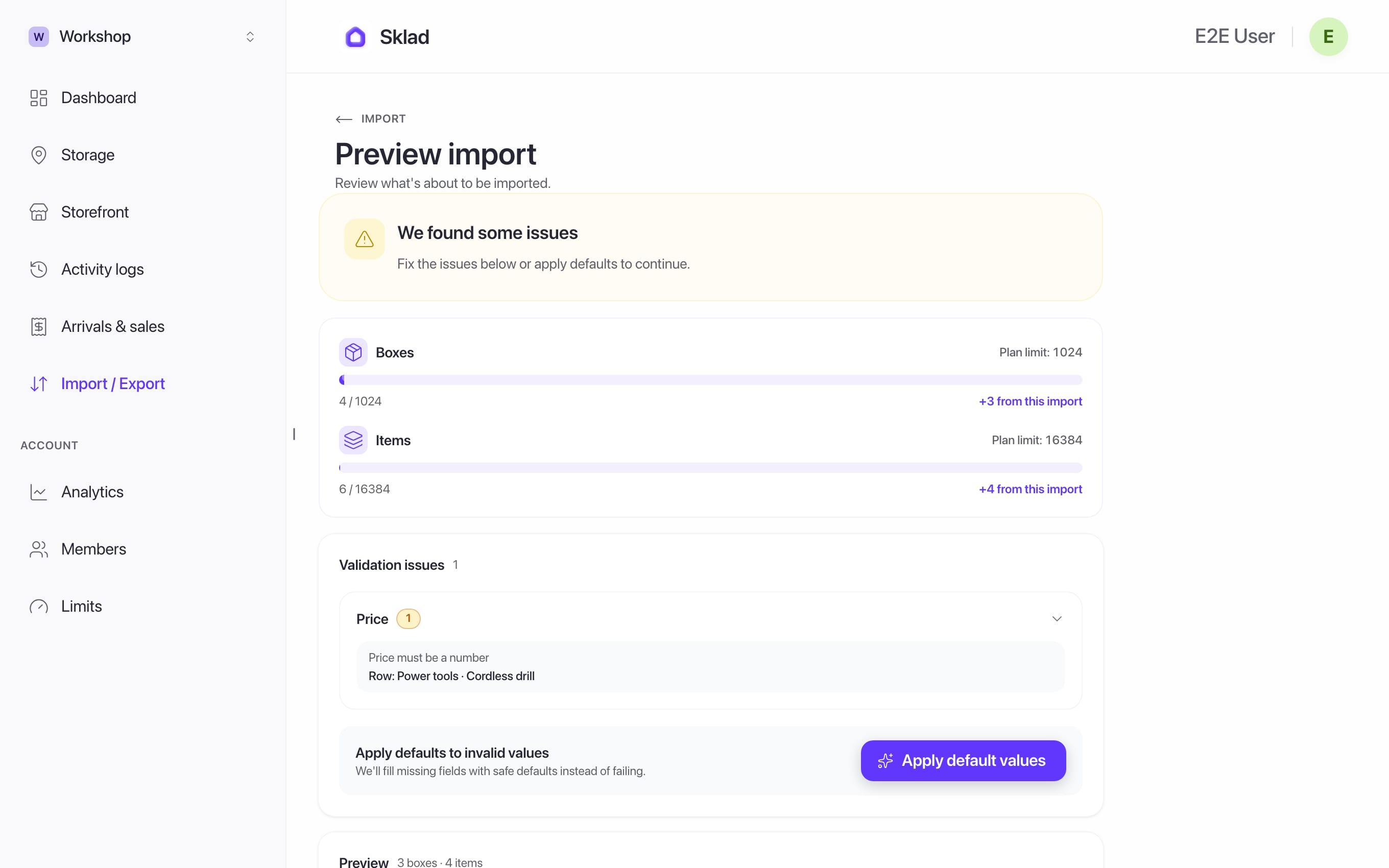
- Read the preview. If some fields are not valid, click Apply default values. Then click Import.
Next
- Inventory Management Software for Growing Teams
- How to export your inventory to CSV from SkladExport saves everything in the current storage as a file you can open in a spreadsheet.
- How to set up storages and boxes in SkladA storage is one place you keep things, like a stockroom, a garage or a shop.
- How to choose and change your Sklad planSklad has three plans: Free, Starter and Business.