How to track your stock value with Sklad analytics
Analytics shows what your stock is worth and how it is changing: totals, value over time, top items, what expires soon, and where stock sits.
Do this
- In the sidebar, open Analytics.
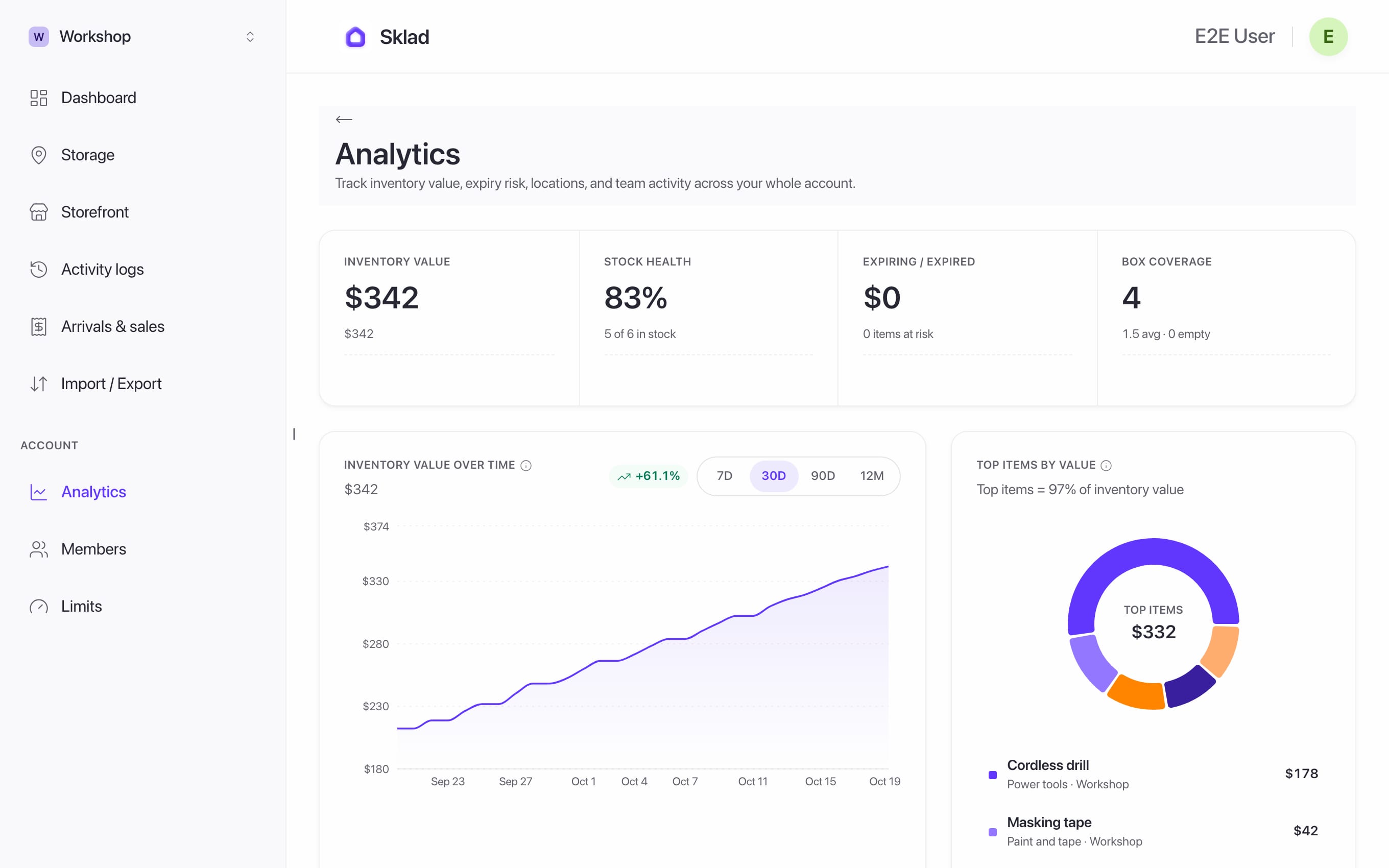
- Use the storage filter to see one storage or All storages.
- Choose a period to see how value changed over time.
If it goes wrong
"Analytics aren't shared with you": ask the owner to turn on See item prices for you. See Members and roles.
Empty charts: analytics counts items that have a price. Add prices first.
- Anything elseContact us