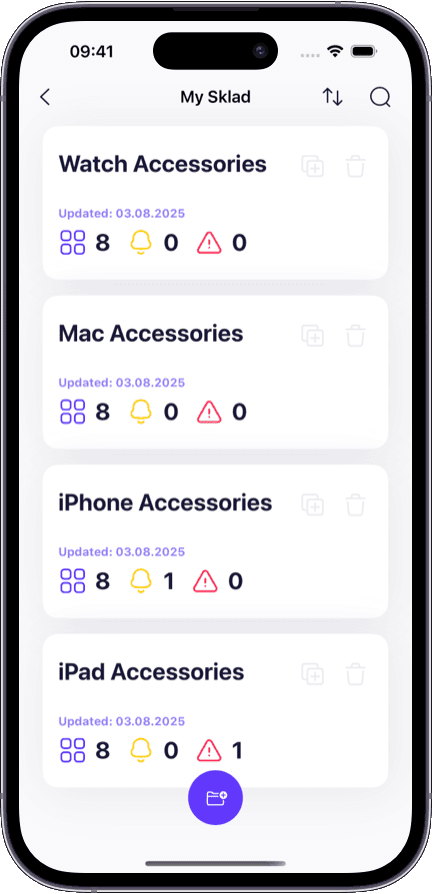
Warehouses with multiple zones
Track items as they flow from receiving to storage to picking. Know which zone holds what without a physical walk.
With real-time tracking, every item has a visible location and a documented history:
Live item locations — see exactly where every item is, down to the shelf or box.
Movement trail — a complete record of every transfer between locations with timestamps.
Quantity change log — every increase, decrease, and adjustment recorded with context.
User attribution — every action tagged with the team member who performed it.
Instant search — find any item by name, barcode, or field instead of walking the floor.
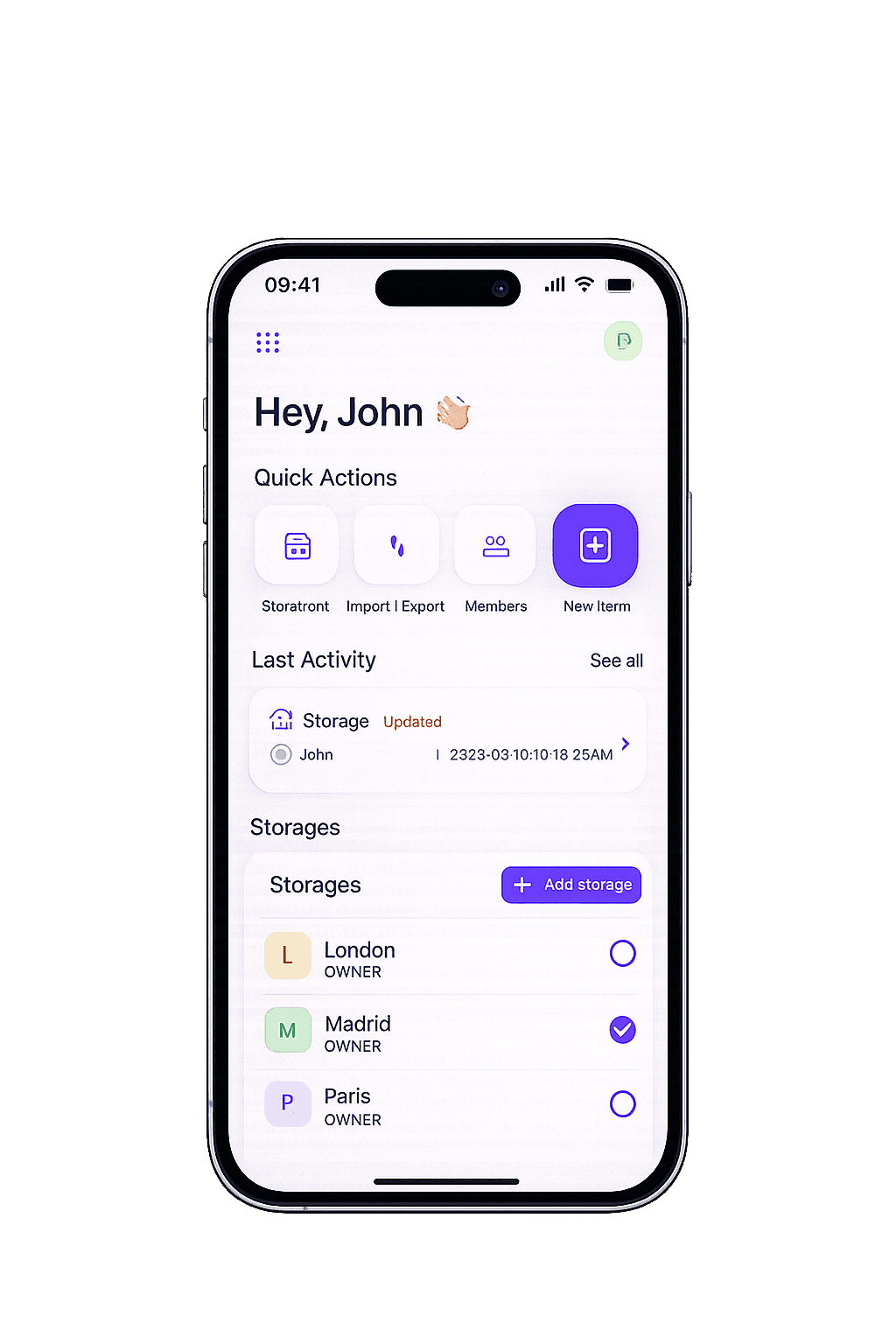
Without real-time tracking, teams run into the same problems every week:
'Where is it?' becomes the most common question — and no one has a fast answer.
Items go missing between locations and no one can trace when or how.
Quantity mismatches show up during audits with no way to find the root cause.
Multiple team members update stock in different places with no single source of truth.
Disputes about who moved or changed something cannot be resolved without a trail.
Any team where items move between people, locations, or stages needs a tracking trail.
Track items as they flow from receiving to storage to picking. Know which zone holds what without a physical walk.
When multiple people access the same stock, tracking prevents confusion about who took what and when.
A timestamped movement trail turns a week-long audit into a searchable report.
Track transfers between sites and see live stock levels per location instead of calling around to check.
The difference between knowing and guessing.
Walk the warehouse or ask around
Search by name or barcode and see the exact location instantly
No idea when or why the count changed
Timestamped log of every change with the user who made it
No record of transfers between locations
Full movement trail: from, to, when, and who
Manual recount of everything, takes days
Searchable history and current state available on demand
No way to know who changed what
Every action attributed to a specific team member
Sklad makes every item's current location and complete history visible to the right people, in real time.
Every feature is built to answer one question faster: where is it, and what happened to it?
Every item shows its current storage, box, and shelf. Locations update the instant an item is moved or scanned.
Every transfer is logged with origin, destination, timestamp, and the team member who performed it. Trace any item's journey.
Scan an item's barcode to instantly pull up its current location, history, and details. No searching required.
Every action — adding, editing, moving, deleting — is recorded with time and user. Built for accountability.
Attach photos to items for visual tracking. Useful for condition monitoring, receiving verification, and dispute resolution.
All team members see the same real-time data. No more conflicting spreadsheet versions or manual sync.
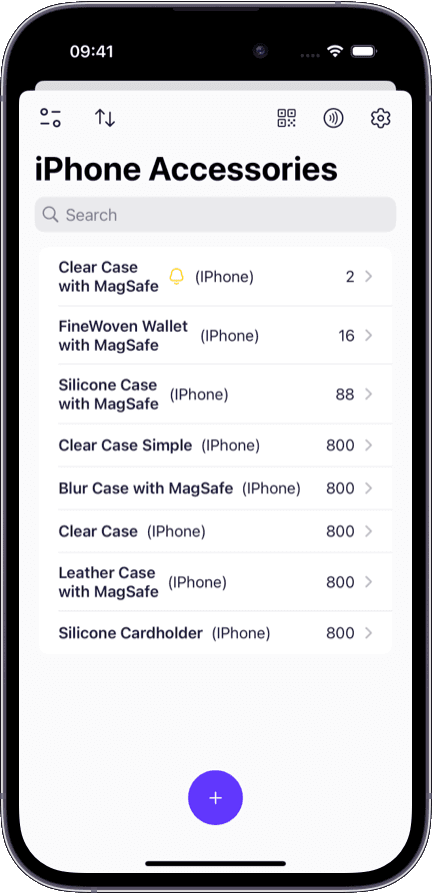
Answers 'where is it?' in seconds — search by name, barcode, or scan from your phone.
Every change is logged automatically — no discipline needed to maintain the trail.
Start free with no setup fees — import your items and begin tracking on day one.
Need to build a full product catalog with locations and permissions? See our inventory management software for the broader platform.
Focused on replenishment and preventing stockouts? Our stock management software covers min/max levels and reorder timing.
Managing inventory across several sites? Multi-warehouse inventory software adds cross-location transfers and visibility.
Want to try inventory tracking for free? Sklad has a generous free tier — see the free inventory app page.
Inventory tracking software records the real-time location, movement, and quantity changes of every item in your inventory. It creates a continuous trail so you can always answer: where is this item, how did it get there, and who was involved?
Inventory management is the broader discipline that includes cataloging items, organizing locations, setting permissions, and handling imports. Inventory tracking focuses specifically on real-time visibility — knowing where items are right now, how they moved, and maintaining an audit trail of every change.
Yes. Sklad logs every movement with the origin location, destination, timestamp, and the name of the person who made the transfer. You can pull up any item and see its complete location history.
Yes. Every action in Sklad — adding items, changing quantities, moving stock, editing details — is attributed to the specific team member who performed it, with a timestamp. This makes audits and dispute resolution straightforward.
Yes. Sklad supports multi-level locations — warehouses, rooms, shelves, and boxes. Each item shows its current location, and every transfer between locations is recorded in the movement trail.
You can search by item name or custom fields, or scan a barcode with your phone camera. Both methods instantly show the item's current location, quantity, photos, and complete history.
Yes. Sklad offers a free tier that includes real-time tracking, barcode scanning, movement history, and the audit trail. You can start tracking immediately and upgrade if you need more storage or team members.